Applications
Have a Remote Control on your Cell Phone with this App
Have a Remote Control on your Cell Phone with this Free App right now, several brands and models available for Download.
Advertisement
Have you ever found yourself in a moment of pure despair because your TV remote control disappeared, right when you're watching the final episode of your favorite series? Get a Remote Control on Your Phone with This App.
It seems like these controls have a life of their own, doesn't it?
Related Content
What do you watch most in your free time?
They hang around, hiding in the most unusual places: under the sofa, among the cushions or even in the fridge (don't ask how they got there).
Well, my life changed when I discovered that my cell phone could do much more than just send messages or post photos.
With a few apps, it turned into a super functional remote control.
And, look, I'm going to tell you all about this discovery, because you deserve to say goodbye to the stress of looking for lost controllers!
Turn your cell phone into a remote control
First of all, let me explain something to you: for this to work, your TV needs to have an internet connection (Wi-Fi) or support infrared, depending on the app you're using.
Okay? Okay, let's go!
Now, let me introduce you to the three most incredible apps I've ever tested that have turned my phone into a true super remote control.
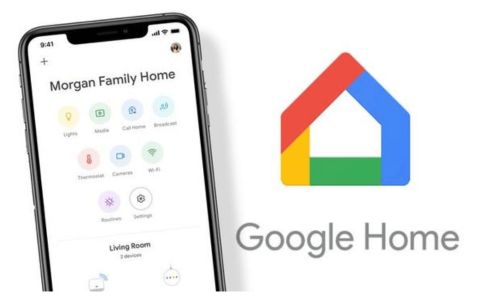
1. Google Home
If you have a Smart TV with Chromecast, Google Home is practically mandatory.
This app not only controls your TV, but also integrates various devices in your smart home, such as lights, cameras, and even sound.
How to Download and Use Google Home:
- Go to the Play Store or App Store and search for “Google Home”.
- Download the app and open it.
- Connect your TV (with Chromecast or built-in) to the app.
- Now you can pause, play, adjust volume, and even open apps like Netflix or YouTube right from your phone.
And the best part? The interface is super intuitive.
Even my grandmother, who barely knows how to use WhatsApp, was able to use it!
2. Mi Remote Controller
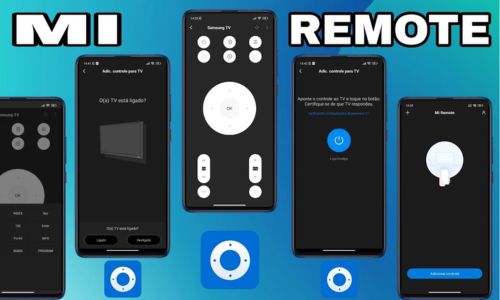
The Mi Remote is perfect for those who have TVs from different brands or devices that still use infrared, such as air conditioners, DVD players and other electronic devices.
How to Download and Use Mi Remote Controller:
- Search for “Mi Remote Controller” in the Play Store.
- Install the app and open it.
- Select the type of device you want to control (TV, air conditioning, etc.).
- Choose your device brand and follow the instructions to set it up.
That's it! Now you can control all of this with just a few taps on your phone.
Isn't it wonderful?
3. SURE
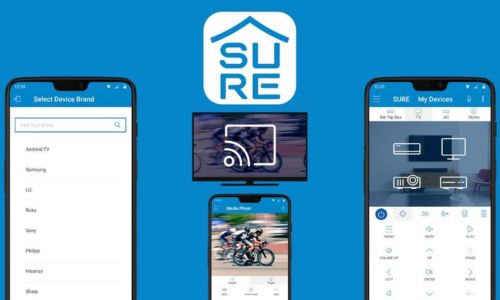
SURE is one of the most complete applications when it comes to universal remote control.
It works via both infrared and Wi-Fi, ensuring compatibility with a huge variety of devices.
How to Download and Use SURE:
- Go to the Play Store or App Store and download SURE.
- After opening the app, select the device you want to control.
- Follow the steps to connect via Wi-Fi or set up infrared.
The coolest thing about SURE is that it also supports control of streaming devices like Fire Stick and Apple TV.
Why Haven't You Downloaded One of Them Yet?
I know sometimes it takes us a while to try these things, but seriously, your life will change after this.
No more running around looking for a remote when the TV starts making noise in the middle of the night.
Everything is at your fingertips, literally!
These apps are lightweight, easy to use, and ensure you never waste time hunting around the house for remotes again.
So, the next time your controller disappears, take a deep breath, grab your phone, open one of these apps, and enjoy your TV time stress-free.
The History of the Remote Control
Have you ever stopped to think about what life would be like without the remote control?
Well, nowadays we can't even imagine getting up from the sofa every time we need to change the channel or turn up the volume.
But, do you believe there was a time when this was everyone's routine?
Yes, my friend, the remote control wasn't always there, lying among the cushions.
The Prehistory of Remote Control
Before the remote control, watching TV was almost a physical exercise.
The first television was created in the 1920s, and at that time there was no idea of remote control.
If you wanted to change channels, adjust the antenna, or even turn the TV on and off, you had to get up and move it manually.
It was a “fit” life, but not at all practical.
Now, hold this: the first remote control, or at least something like it, appeared in 1950 and was created by Zenith Radio Corporation.
His name was “Lazy Bones”.
It worked through a huge cable that connected the TV to the remote. That's right, wired! Just imagine the mess spread across the room?
The Wireless Controller That “Clicked”
There in 1956, Zenith engineers, not satisfied with the cable cluttering the room, developed the first truly wireless remote control, called the “Flash-Matic”.
But wait a minute, here comes the curious detail: he used light to transmit the command!
I had to point the remote at the edges of the TV, where there were some sensors.
The problem? If sunlight hit these sensors, the TV would go crazy on its own, changing channels or increasing the volume out of nowhere.
After that came another version, called “Zenith Space Command”, which used ultrasonic sound. Basically, it emitted "clicks" that we couldn't hear, but which the TV recognized.
Therefore, the first controls of this phase were known as “clickers”.
The Remote Control We Know Today
Over time, technology became more sophisticated. In the years 1980, infrared remote control began to dominate the market.
This is the one we know to this day.: it works through invisible signals that go from the control to the TV.
Infrared changed everything because it was more reliable, without interference from ambient light or sound.
Now, it's interesting to think that the remote control, which at first was a luxury item (only for those who had money!), has become an essential part of everyday life.
Today, you don't even need a physical controller anymore.
With apps on your phone, as we mentioned before, you can control everything, from your TV to your air conditioning.
From Button to Automation
So, what's next?
The evolution of remote controls hasn't stopped. We have voice assistants like Alexa and Google Assistant that don't even require buttons.
You just say the command and that's it!
Technology is taking another step towards making our lives even more comfortable.
So, the next time you're on the couch, eating popcorn and flipping through the channels without even lifting a finger, remember how this story began: with a giant cable running across the room.
What an evolution, huh?
You just read about having a remote control on your cell phone with this application.
So, if you liked the content, keep following Curious Zone and always stay up to date with what's happening on the Internet.
See you next time!


You may also like

Total Cell Phone Security: Digital Protection Strategies
Discover the best strategies and applications to ensure your digital protection, avoid virtual threats and keep your data safe.
Keep Reading


